
This time, I've compiled a collection of popular original templates for daily life and Notion!
Templates can be duplicated with just one click, so if you find one you like, please try using it.
🎬 Director:Rei
✍🏻 Writer:Mino Kurumi
1. Diary Template
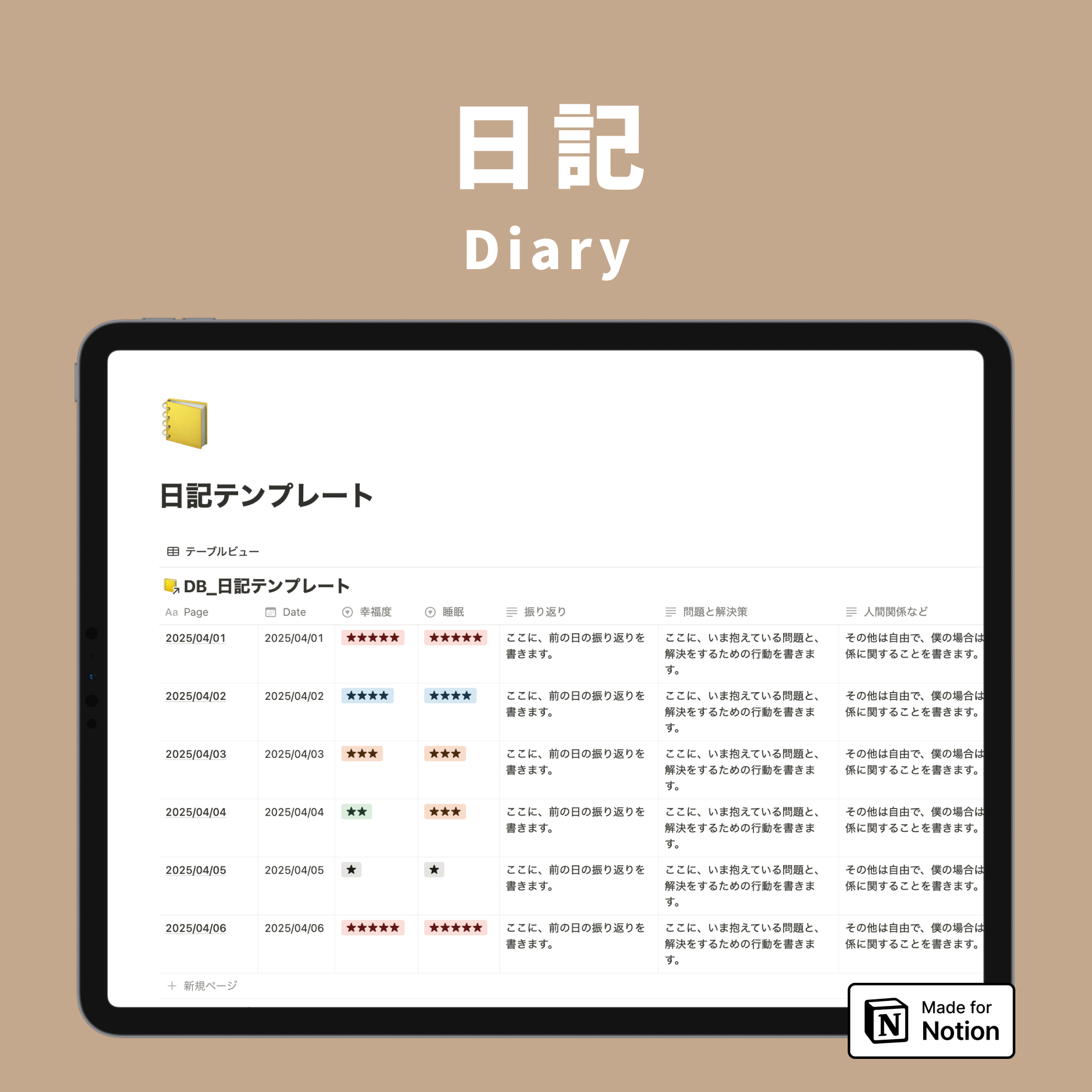
The first is the "Diary Template," which allows you to keep a diary in Notion.

Keeping a diary can be difficult to make a habit, but Notion makes it easy to write, so it's easy to stick with and can be freely customized. It's one of my recommended uses.
I've prepared the following items for the diary. Of course, you can customize them to your liking.
- Quality of sleep yesterday
- Happiness level yesterday
- Yesterday's reflection
- Problems and solutions
- Relationships
- Habit tracker

You can view your diary entries in a calendar view like this. It's useful to see the quality of sleep and happiness level at a glance when you want to reflect on the week.


2. Study Planner Template
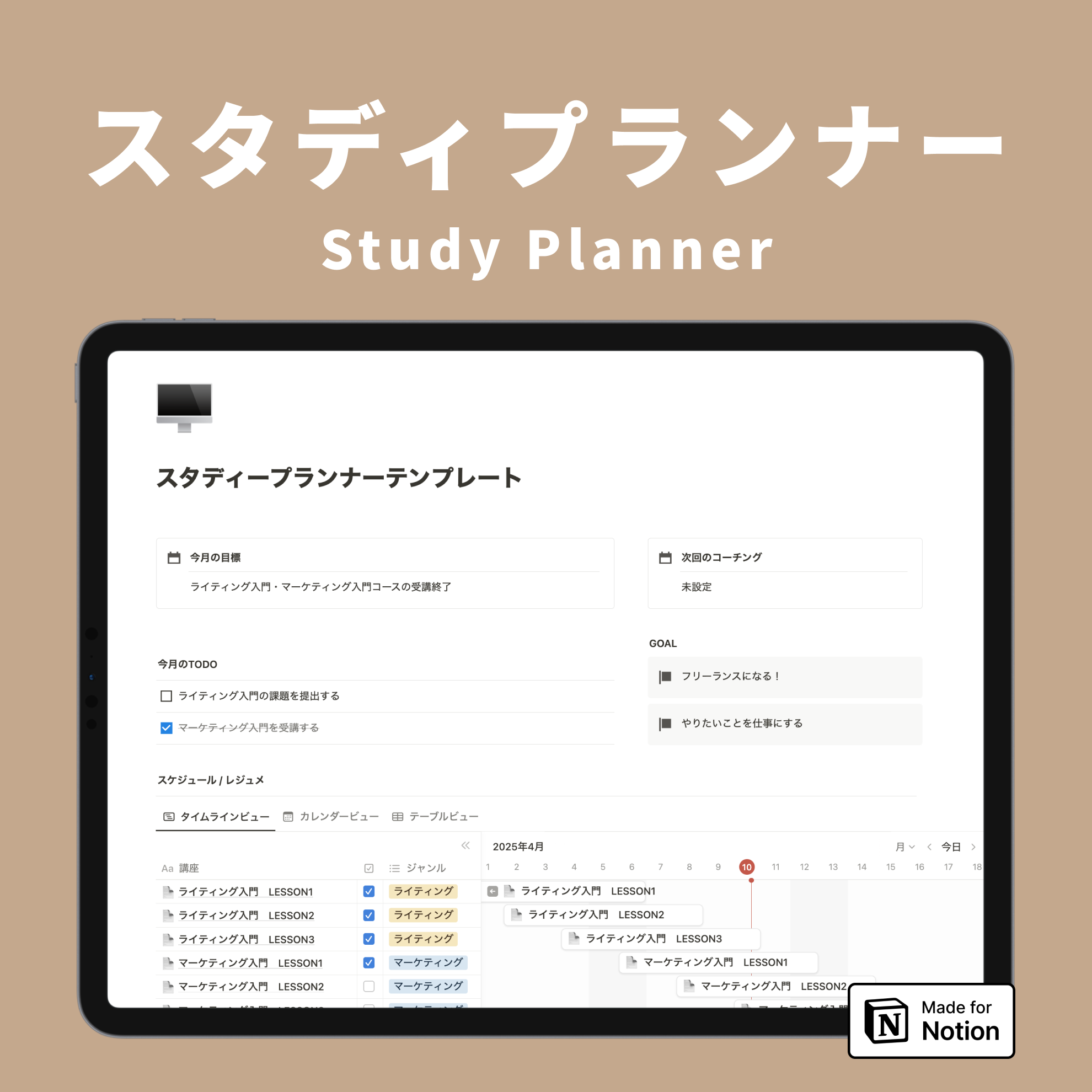
Next is the "Study Planner Template," which can be used to create study schedules and as a digital notebook.

This template combines study schedule management and notes, allowing you to use the scheduled items directly as notes.
Inside the page, you can add headings and highlight text like this. It's also convenient that you can paste screenshots from online classes.

With Notion, you can easily categorize and organize notes that tend to accumulate with paper, like this.

It's recommended for students, working adults attending online schools, and those studying for certifications!

3. Lazy Household Budget Template
Recently, various household budget apps have appeared, but some are inconvenient, such as having a limit on the number of items that can be added or finding it troublesome to photograph receipts.
Notion allows you to freely create any items you like, and this "Lazy Household Budget Template" even automatically calculates totals and percentages. This template is recommended for those who struggle to keep up with household budgeting.

The only fields you need to fill in are budget per category and actual expenditure. Categories can be renamed or added as you like.
When you enter your expenditure, the percentage against the budget will be automatically displayed in a graph.

Furthermore, as you enter your monthly expenses, a "Monthly Balance" summarizing your annual income and expenses will be automatically completed. All tedious calculations are done automatically, making it perfect for lazy people.


4. Home Screen Template
As you continue to use Notion, you'll find that various pages accumulate, right?
When you want to consolidate these various pages or gather frequently used pages, the "Home Screen Template" is perfect.

I've gathered these items in the template. Of course, you can customize the items and design to your liking.
- Index for collecting pages by category

- A place to write down habits and daily routines

- Weekly To-Dos and diary


Please use the template as a base to create your own unique home screen.

5. Project Management
Next is the "Project Management" template, which utilizes Notion's Gantt chart feature.
This template allows you to link projects and tasks and manage projects with multiple team members.

Notion's Gantt chart is characterized by its ease of changing periods and adding items. You can change periods by simply dragging the bars left or right, and add projects or tasks with a single click of the "+ New" button.
The template includes a "Project List" board for managing projects and a "Task List" board for managing tasks linked to projects.


Notion also allows you to share pages with others, enabling you to share pages with project members and collaborate on editing simultaneously.
Please try utilizing Notion in your work as well!

6. Recipe Template
Lastly, we have the "Recipe and Meal Plan Template," which gathers all your recipes in one place and creates meal plans and shopping lists linked to them.

This template includes three boards: "Recipe List," "Meal Plan," and "Shopping List."
The "Recipe List" allows you to consolidate recipes from various recipe sites and social media. This saves you the trouble of searching across different tools, and conveniently lets you view all the recipes you can make in one place, regardless of the tool they came from.


Then, by checking off the recipes you want to include from the registered list, they will appear on the "Meal Plan" board. Two types of meal plans are available: "Weeks 1 & 3" and "Weeks 2 & 4," which can be switched between using tabs.

On the "Shopping List" board, the ingredients for recipes added to Weeks 1 & 3 and Weeks 2 & 4 of the meal plan are automatically displayed. This is very convenient as you only need to check this list when going shopping.

You can also collaboratively edit pages, so please try using it with your partner or family!

Summary
That concludes our introduction to popular templates from Kurashi to Notion! Did you find any uses you'd like to incorporate into your life?
We offer many other templates, so please check them out!
Here's "Todotion," the ultimate task management template to achieve with Notion!

The "Notion Master Course," a 2-hour video series to learn Notion from scratch, is now available!

Our book, "Notion Life Hacks," which introduces 36 ways to use Notion, is also on sale!