
Hello! I'm Rei, a Notion Official Ambassador.
Suddenly, do you remember what's in your closet...?
This time, I'd like to introduce how to create a wardrobe in Notion and manage your clothes!
This content is highly recommended for those who forget what clothes they have when shopping, or who want to keep track of their clothes for decluttering!
It's also recommended for those who want to clip clothes they want!
This time, I will explain this template in detail, so please read until the end!
🎬 Director:Rei
✍🏻 Writer:Mino Kurumi
Why organize your wardrobe in Notion?
When you're shopping, do you ever find yourself wondering, "Will this match the clothes I already have?" or "What do I even own...?"?
It's surprisingly easy to lose track of what clothes you own, isn't it? Sometimes you even realize you've bought similar clothes again.
So, I created a list of my clothes in Notion so I could see what I own even when I'm out and about!
Not only did it make choosing clothes easier, but it also prompted me to declutter, which was very beneficial, so I'd like to introduce it in detail this time!
📍
2. It serves as a trigger for decluttering.
3. It can also double as a wish list for clothes.
How to create a wardrobe.
Now, let's take a closer look at the contents of the page.
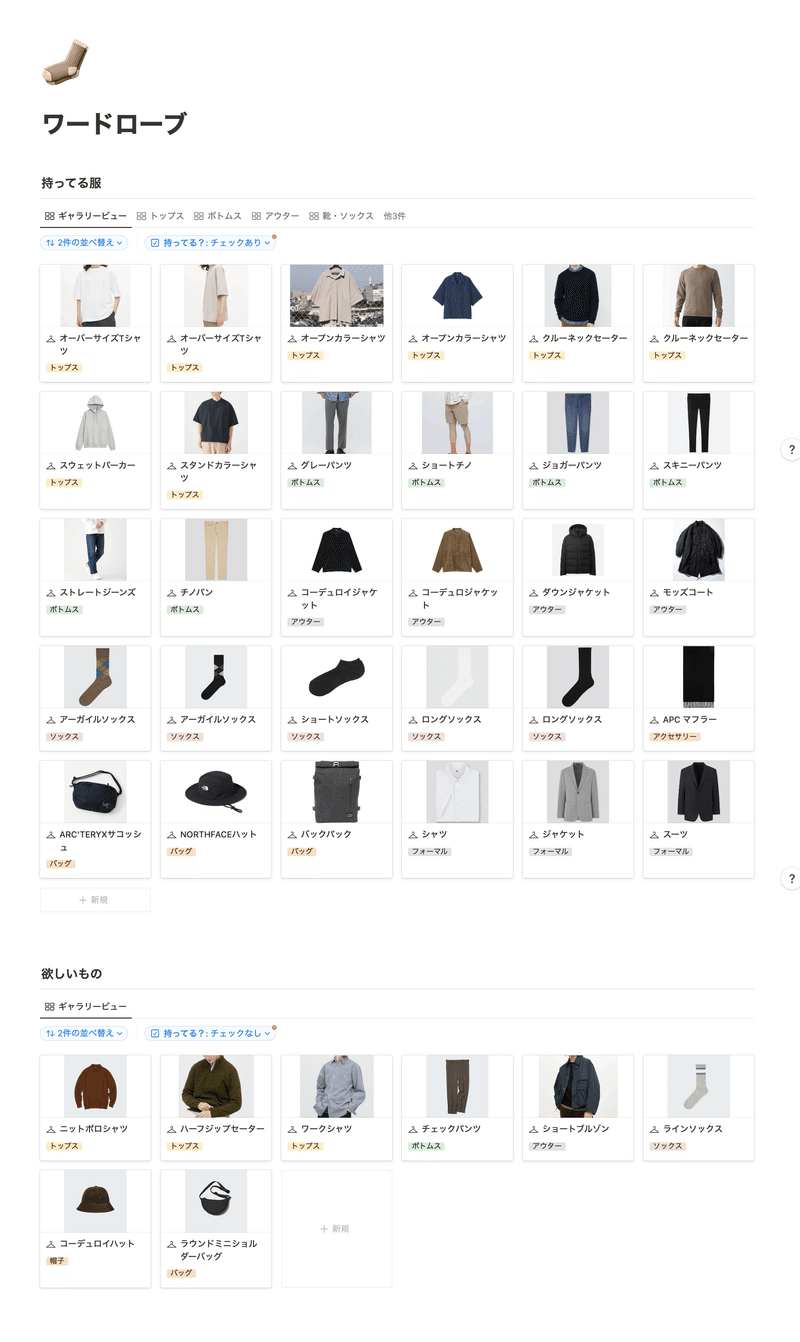
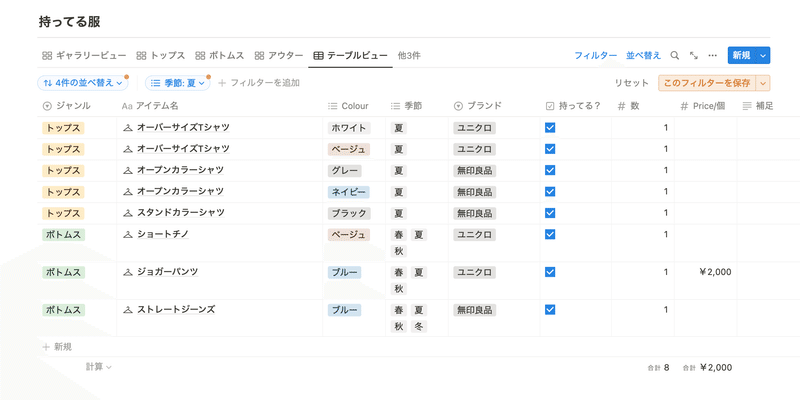
The top part is a list of clothes I own.
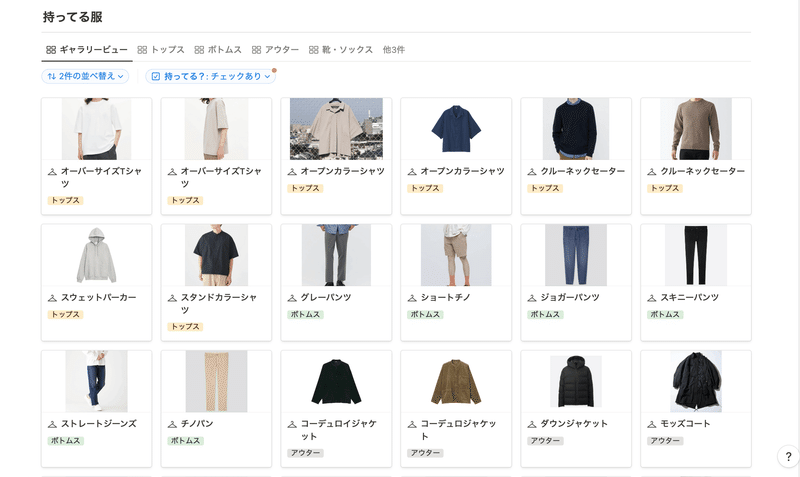
You can also view lists by category, such as a list of tops or a list of bottoms, using tabs.
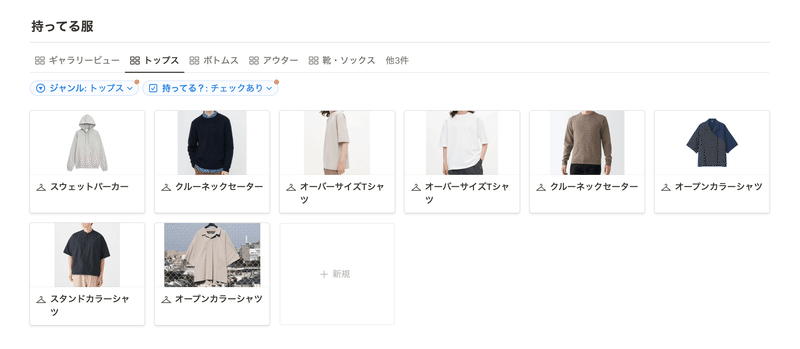
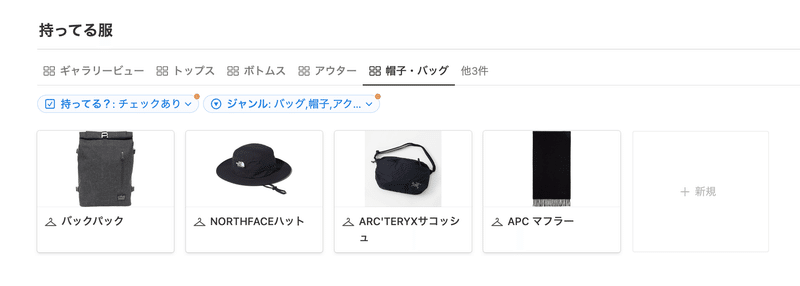
On each item's page, I've noted the following items:
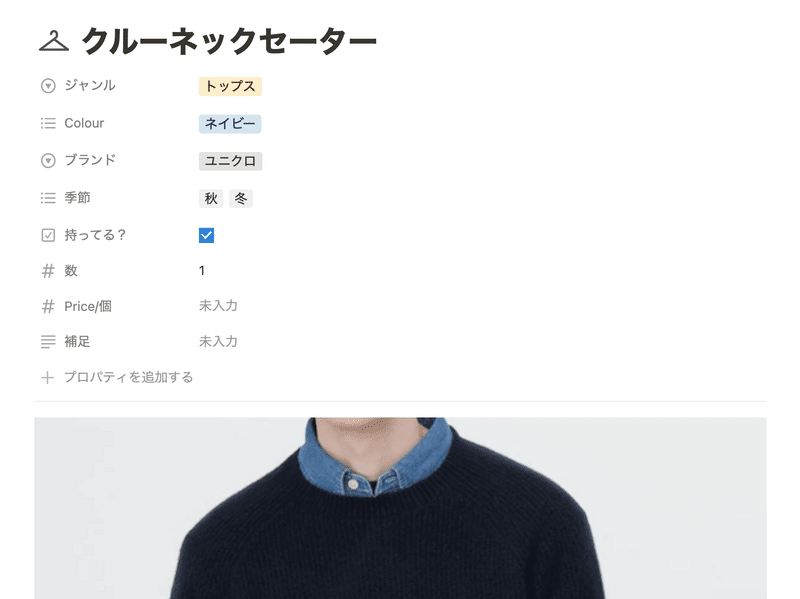
- Genre
- Color
- Brand
- Season
- Quantity owned
- Price
Since colors, brands, and seasons are tagged, you can also filter by them. You could even use it to review your clothes by filtering by season during a seasonal wardrobe change!
The bottom part is a list of clothes I want.
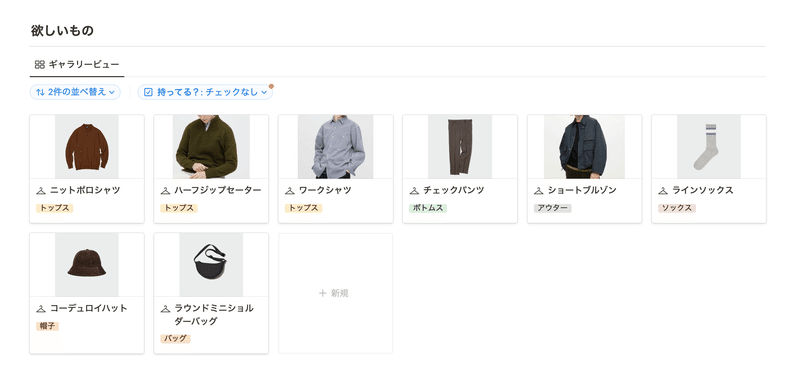
Actually, this is the same database as the clothes I already own, and it displays items that don't have the "Do you own it?" checkbox checked.

In other words, the system is designed so that when you buy something you wanted, checking it automatically adds it to your wardrobe. It's very convenient, isn't it...!
Here's what I found convenient about using Notion.
Finally, I'll share what I found convenient about creating a wardrobe in Notion.
1. You can know what clothes you have at home even when you're out.
Notion can be viewed on smartphones, so the ability to access your created page even when you're out and about is a convenient point.
When you're shopping and find a piece of clothing you like, you can open your wardrobe page and immediately see what clothes you own, so you can quickly determine if it will match your existing wardrobe.
Also, when you're undecided about color or design, you can quickly see which one would be easier to match or what color you don't have, which has made choosing clothes easier!
This will surely prevent you from buying similar clothes again by mistake. (lol)
2. It serves as a trigger for decluttering.
Even outside of seasonal wardrobe changes or spring cleaning, I often find myself surprised by how many clothes I own when I casually review my Notion page. (lol)
By properly managing my clothes this way, I can feel a desire to keep only my favorite clothes! or a determination to boldly declutter items I don't wear! This was an unexpectedly positive point.
You can also manage the number of clothes you own, such as "up to X tops!", so it's especially recommended for those who want to reduce their possessions!

3. It can also double as a wish list for clothes.
Since I can clip clothes I want together with the ones I own, I can carefully consider whether I really need them by comparing them to my current wardrobe, which I think has helped reduce impulsive spending a bit.
The system where you check an item once you've bought something you wanted, and it automatically gets added to your wardrobe, is also a very convenient feature!

Summary
That's how to manage your clothes with Notion! How was it?
Not only did it make choosing clothes easier, but it also served as a trigger for decluttering, which was very beneficial, so please give it a try!
Here's "Todotion," the ultimate task management template made with Notion!

The 2-hour "Notion Master Course" is now available, allowing you to learn Notion from scratch through videos!

The book "Notion Lifehacks," which introduces 36 ways to use Notion, is also now on sale!